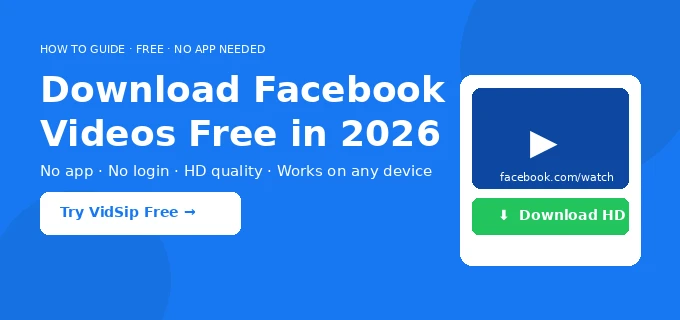
Saving a Facebook video used to feel like a puzzle — right-click does nothing, Facebook hides the download button, and most tools you find online are cluttered with ads or demand you install something suspicious. In 2026, there is a better way: a free Facebook video downloader that works directly in your browser in under 30 seconds, with zero installation required. You can download Facebook video free — no account, no payment, no limits.
By the VidSip Editorial Team · Last updated: June 13, 2026 · 8 min read
This complete guide covers how to download any Facebook video — regular feed videos, Reels, Watch tab videos, Stories, Live replays, and shared clips — on iPhone, Android, Windows, and Mac, completely free using VidSip.
Why Facebook Does Not Let You Save Videos Directly
Facebook deliberately removed the ability to save videos back in 2016. The reason is simple: keeping you watching inside the app generates ad revenue. When you download a video and watch it offline, Facebook loses that view, the engagement data, and the ad impression.
Every Facebook video plays inside a proprietary streaming player specifically designed to block direct saves. A dedicated Facebook video downloader like VidSip bypasses this by fetching the raw MP4 file directly from Facebook's CDN servers — the same servers that deliver the video to your browser — without going through the player at all.
What You Need Before You Start
- The video must be public — visible to anyone, not set to Friends Only or a closed group
- Any browser — Chrome, Safari, Firefox, Edge, or any mobile browser works
- The video's share link — exact steps for copying it are below for each platform
- About 30 seconds
How to Download a Facebook Video in 3 Steps
This method works for all public Facebook videos — feed posts, Watch tab, group videos, and Page videos. It works identically on mobile and desktop.
Step 1 — Copy the Facebook Video Link
Open Facebook and find the video you want to save. Tap the three-dot menu (⋯) on the post and select Copy Link. On desktop, you can also click the video to open it in its own tab, then copy the full URL from your browser address bar — it will look like facebook.com/watch?v=1234567890 or facebook.com/reel/1234567890.
Tip: If the URL ends in /posts/, open the video first by tapping on it, wait for it to load in a new tab, then copy the address bar URL. That gives you the direct video link VidSip needs.
Step 2 — Paste the Link into VidSip
Open VidSip's free Facebook video downloader in your browser. Paste the copied link into the input box and tap the green Download button. VidSip processes the link server-side — fetching the media file from Facebook's CDN — and shows you a download preview within a few seconds. No account, no CAPTCHA, no queue.
Step 3 — Choose Quality and Save
Once VidSip shows the preview, select Download HD for the best quality (720p or 1080p where available) or SD (480p) for a smaller file. The MP4 saves directly to your device — camera roll or Downloads folder on mobile, Downloads folder on PC.
How to Download Facebook Reels — Facebook Reel Downloader
To download Facebook Reels, copy the Reel link from the Share menu — the process is identical to regular videos and takes the same 30 seconds. VidSip works as a full Facebook reel downloader, handling both facebook.com/reel/ and facebook.com/watch/ URL formats automatically.
Open the Reel, tap the Share icon, then tap Copy Link. Paste into VidSip and hit Download. The file saves as a clean MP4 with no watermark — unlike TikTok, Facebook does not embed a watermark in its video files, so what you download is the original clean clip.
Facebook Reels up to 90 seconds in length are fully supported. Reels from public profiles and Pages download without any issues.
How to Download Facebook Videos on iPhone — Save to Camera Roll
Looking for a Facebook video downloader iPhone solution? VidSip works in Safari with no App Store download needed. Here is the exact step-by-step to save a Facebook video to Camera Roll on iPhone:
- Open the Facebook app and find the video
- Tap the three-dot menu → Copy Link
- Open Safari — use Safari, not Chrome, for native iOS downloads
- Go to vidsip.com/facebook-downloader, paste the link, tap Download
- When the iOS download prompt appears, tap Download
- Open the Files app → Downloads, tap the video, then tap Share → Save Video
- The video is now in your Camera Roll
To make future downloads faster, add VidSip to your home screen: tap the Share icon in Safari → Add to Home Screen. VidSip installs as a PWA — no App Store, no updates, no storage bloat.
How to Download Facebook Videos on Android
Need a Facebook video downloader Android solution? Chrome on Android handles the download natively — no extra steps needed compared to iPhone.
- In the Facebook app, tap the three-dot menu on the video → Copy Link
- Open Chrome and go to vidsip.com/facebook-downloader
- Paste the link and tap Download
- Choose HD or SD quality
- The MP4 saves to your Downloads folder and appears in your Gallery automatically
The whole process takes under 30 seconds on any Android device. Works on Samsung, OnePlus, Xiaomi, and all other Android brands.
How to Download Facebook Videos on PC (Windows and Mac)
Downloading on desktop is the simplest experience — one click saves the file straight to your Downloads folder.
- Open Facebook in your browser and navigate to the video
- Click the three-dot menu → Copy Link, or open the video in its own tab and copy the address bar URL
- Open a new tab and go to vidsip.com/facebook-downloader
- Paste the URL and click Download
- Select your quality — the MP4 saves immediately to your Downloads folder
Works on Chrome, Firefox, Edge, and Safari on both Windows and Mac. No software installation needed.
How to Download Facebook Videos Without Watermark
Can you download Facebook videos without watermark? Yes — and no extra steps are needed with VidSip.
Unlike TikTok or Instagram Reels which embed a creator watermark directly in the video file, Facebook videos are stored on CDN servers as clean MP4 files. VidSip fetches that original file directly, so every download is naturally Facebook video download no watermark — the watermark never existed in the source file to begin with.
How to Download Facebook Stories
Facebook Stories disappear after 24 hours so act quickly. Open the Story, tap the Share icon, select Copy Link, and paste into VidSip. Download before the Story expires. Stories from private profiles cannot be downloaded since the URL requires a logged-in session to access.
How to Download Facebook Live Videos
Facebook Live replays can be downloaded after the broadcast ends. While a stream is live it cannot be downloaded — wait for the replay to be posted on the profile or Page. Once available, copy the replay URL and paste it into VidSip exactly like any other video. The full replay downloads as a single MP4 file.
Can I Download Private Facebook Videos?
No — and this is intentional. VidSip only works with publicly accessible videos. Videos set to Friends Only, Only Me, or restricted to a closed group will not work because VidSip has no access to content behind a login wall.
Any tool claiming to download private Facebook videos is either misleading you or asking for your Facebook credentials — both are serious red flags. Legitimate downloaders only work with public content.
Is It Legal to Download Facebook Videos?
Downloading for personal offline viewing is generally considered fair use in most countries — saving a video to watch on a flight, keeping a clip for personal reference, or archiving content you created yourself.
What is not permitted: reuploading to another platform, redistributing commercially, or monetising someone else's video without their explicit permission. This may violate copyright law and Facebook's Terms of Service. Always credit the original creator if you share their work.
Download Quality Options
| Quality | Resolution | File Size | Best For |
|---|---|---|---|
| HD | 720p / 1080p | 30–150 MB | Saving to gallery, sharing, editing |
| SD | 360p / 480p | 5–30 MB | Saving storage, slow connections |
Why VidSip Is the Best Free Facebook Video Downloader
- No watermark — original clean MP4 from Facebook's own servers
- No login required — VidSip never asks for your Facebook credentials or email
- Works on all devices — iPhone, Android, Windows, Mac, any browser
- HD quality — always fetches the highest resolution available
- Supports Reels, Stories, Live replays, Watch videos — any public Facebook URL works
- Completely free — no plans, no credit card, no daily limits
- Fast — most videos ready in 3–5 seconds
- No installation — runs entirely in your browser
Ready? Go to vidsip.com/facebook-downloader, paste your link, and save the video in seconds.
Troubleshooting Common Issues
Link not working
Open the video in its own tab first, then copy the URL from your browser address bar. Avoid short links or URLs that redirect through l.facebook.com.
Only SD quality available
VidSip always fetches the highest quality available. If only SD appears, the original uploader posted in SD — that is the maximum quality that exists for that video.
Download fails on iPhone
Use Safari, not Chrome. iOS only allows native file downloads through Safari. Chrome on iOS does not have access to the iOS download manager.
Video says private or unavailable
VidSip only works with publicly visible videos. If the video requires a Facebook login to view, it cannot be downloaded — this respects the creator's privacy settings.
Video has no sound
This is rare and usually means the original was uploaded without audio. Try the HD version — on older videos the SD and HD streams are sometimes encoded separately and one may be missing the audio track.
We build and maintain VidSip's downloader tools and write these guides based on direct testing of every platform we support — Facebook, Instagram, TikTok, Twitter/X, Pinterest, Snapchat and ShareChat. Guides are reviewed and updated quarterly to reflect platform changes.
Frequently Asked Questions
How do I download a video from Facebook to my phone?
Copy the video share link from the Facebook app, open VidSip in your mobile browser, paste the link, and tap Download. The MP4 saves directly to your phone — no app installation needed.
How do I save a Facebook video to my Camera Roll on iPhone?
Download the video via VidSip in Safari, open the Files app, tap the file in Downloads, then tap Share → Save Video. This moves it directly to your Camera Roll.
Can I download Facebook videos online for free?
Yes. You can download Facebook video online for free using VidSip — no account, no payment, no daily limits. Just paste the link and download.
Does VidSip download Facebook videos without watermark?
Yes. VidSip fetches the original MP4 from Facebook's CDN which contains no watermark. Your downloaded file is always clean.
Is there a Facebook video downloader for Android?
Yes — VidSip works in Chrome on Android. Paste the link, tap Download, and the file saves to your Downloads folder and Gallery automatically.
Does VidSip work as a Facebook reel downloader?
Yes. Paste any public Facebook Reel URL and VidSip downloads it in original quality with no watermark as an MP4.
Can I download private Facebook videos?
No. VidSip only works with publicly accessible videos. Private videos cannot be downloaded by any legitimate tool.
Can I download Facebook Live videos?
Yes, after the stream ends. Once the replay is posted, copy the URL and paste it into VidSip to download the full replay.
What format does VidSip download Facebook videos in?
All downloads are saved as MP4 — compatible with every device, media player, and video editor without conversion.
Is it safe to use VidSip?
Yes. VidSip never asks for your Facebook login, never stores your data, and installs nothing on your device.