By the VidSip Editorial Team · Last updated: June 30, 2026 · 7 min read
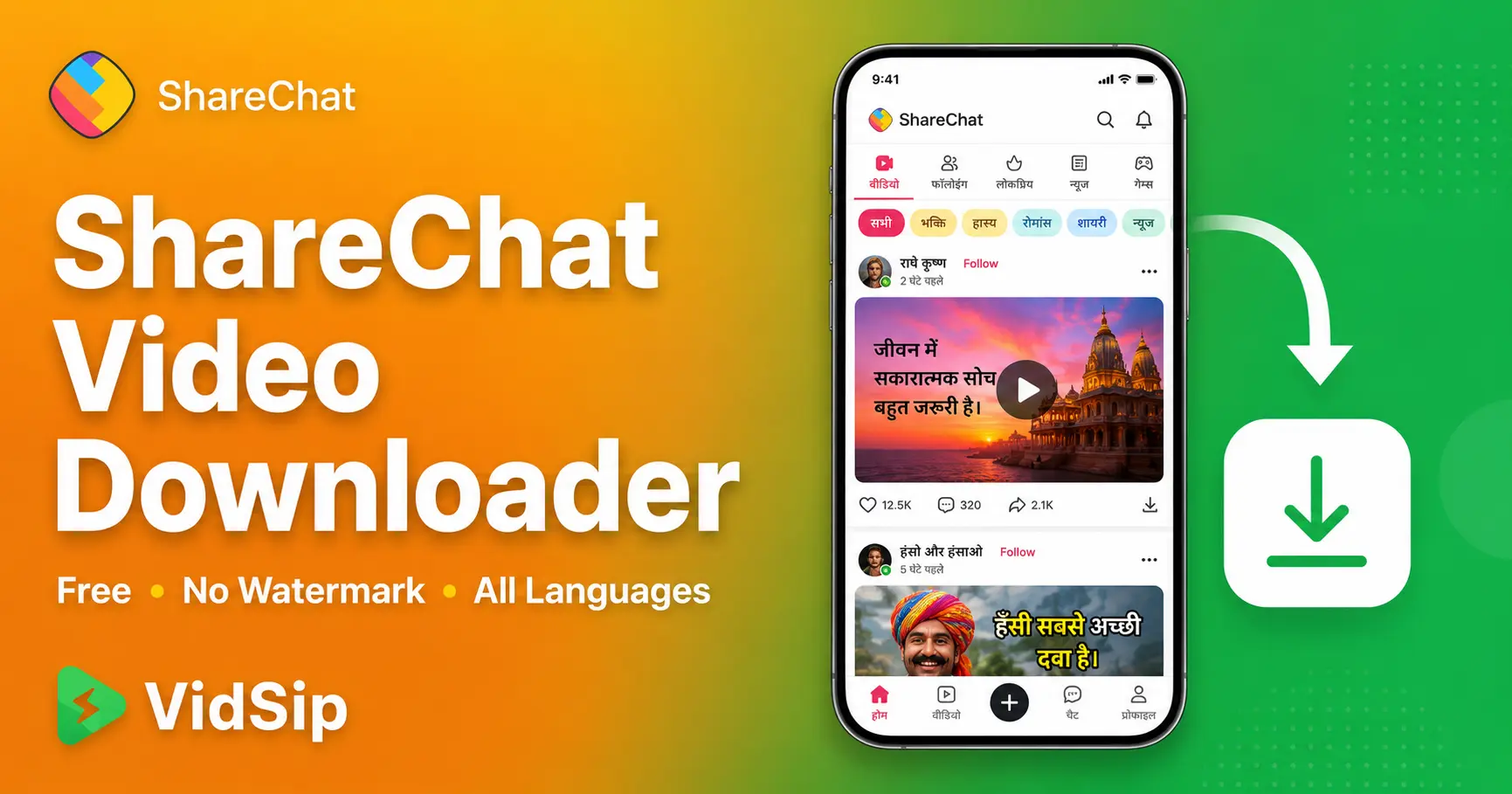
ShareChat is one of India's largest regional-language social platforms, with content in Hindi, Tamil, Telugu, Bengali, Punjabi, Marathi, and a dozen other languages — yet it is almost completely ignored by video downloader tools. Search for "ShareChat downloader" and you will find a handful of sketchy apps, most of which are outdated, ask for excessive permissions, or simply do not work anymore.
This guide covers how to download any public ShareChat video for free using VidSip — works for content in any language, on any device, with no app installation and no login required.
Why ShareChat Video Downloaders Are So Hard to Find
ShareChat has a much smaller global audience of developers and SEO content creators compared to TikTok or Instagram, simply because most of its content and userbase is concentrated in India and primarily in regional languages rather than English. This means far fewer tools and guides have been built specifically for it.
The platform itself gives no native download option — same as every major short-video platform. There is no Save to device button, no download icon in the share menu, just a Share option that lets you forward the post within the app or to other apps via your phone's share sheet, but not save the actual video file.
VidSip's ShareChat video downloader works by fetching the original video file directly from ShareChat's servers, the same way it does for TikTok, Instagram, and the other platforms it supports — independent of the language or region the content is from.
How to Download ShareChat Videos Using VidSip
The process is identical to VidSip's other platform downloaders and takes under 30 seconds.
- Open ShareChat and find the video you want to save
- Tap the Share icon on the post — this opens ShareChat's share sheet
- Select Copy Link — this copies the post's URL to your clipboard. If Copy Link is not directly visible, look under "More options" in the share sheet
- Open VidSip — go to vidsip.com/sharechat-downloader in your browser
- Paste the link and download — paste the ShareChat post link into the input box and tap Download
- Save to your device — the video downloads as an MP4 file in original quality
Download ShareChat Videos on Android
Since ShareChat's primary userbase is on Android, this is the most common scenario. Open Chrome on your Android device, go to vidsip.com/sharechat-downloader, paste the post link, and tap Download. The MP4 file saves directly to your Downloads folder, and your Gallery app picks it up automatically within a few seconds.
Works on all Android brands common in the Indian market — Samsung, Xiaomi, Redmi, Realme, Vivo, Oppo, OnePlus, and others. Any Android browser handles the download correctly: Chrome, Firefox, or your phone's default browser.
Download ShareChat Videos on iPhone
Open Safari on your iPhone and go to vidsip.com/sharechat-downloader. Paste the ShareChat post link and tap Download. The file saves to your Files app first — open Files → Downloads, tap and hold the video, then select Save Video to move it to your Camera Roll.
Use Safari rather than Chrome on iPhone — Safari integrates more reliably with iOS's native download manager for video files.
Does VidSip Work for All ShareChat Languages?
Yes. VidSip downloads the video file itself — it does not process, translate, or interact with the text or language of the post in any way. Whether the content is in Hindi, Tamil, Telugu, Kannada, Bengali, Marathi, Gujarati, Punjabi, Malayalam, Odia, or any other language ShareChat supports, the download process is identical. The tool works at the video file level, completely independent of language.
This also means VidSip works for ShareChat's English-language content, which exists but represents a smaller portion of the platform's overall content compared to regional languages.
Can I Download Private ShareChat Profiles?
No. VidSip only accesses content from public ShareChat accounts and public posts. Private profiles restrict their content to approved followers, and this is enforced by ShareChat at the platform level — no external tool, including VidSip, can bypass this without the account owner's login credentials.
Does VidSip Add a Watermark to ShareChat Downloads?
No. VidSip retrieves the original video file from ShareChat's servers. Whatever watermark or branding exists in the original upload — such as a ShareChat logo if the creator added one through the app's editing tools — will be present, since that is part of the source file. VidSip does not add any additional watermark, logo, or branding of its own to any download.
ShareChat Video Downloader vs General Video Downloader Apps
Many general-purpose "video downloader" apps marketed in app stores claim to support hundreds of platforms but often fail silently on ShareChat specifically, either because the app has not been updated to handle ShareChat's current URL structure, or because ShareChat support was never genuinely tested and is just listed in the marketing copy.
VidSip is built and tested specifically for the platforms it lists, including ShareChat as one of its core supported platforms alongside TikTok, Instagram, Facebook, Snapchat, Twitter/X, and Pinterest.
Is Downloading ShareChat Videos Legal?
Downloading publicly available ShareChat videos for personal, non-commercial use is generally considered acceptable under fair use principles in most jurisdictions, including India. Public posts on ShareChat are accessible to anyone with the platform installed or via the public web interface.
What is not permitted: reposting someone else's ShareChat video on another platform without credit, using downloaded content commercially without permission, or misrepresenting someone else's work as your own. If you share downloaded content, crediting the original creator is the respectful and legally sound approach.
We build and maintain VidSip's downloader tools across seven platforms including ShareChat, a platform most downloader tools overlook entirely. We test across multiple regional language content categories to confirm consistent functionality regardless of the language of the post.
Frequently Asked Questions
How do I download a ShareChat video for free?
Open the ShareChat post, tap Share → Copy Link, then go to vidsip.com/sharechat-downloader, paste the link, and tap Download. The video saves as an MP4 file. Completely free, no account needed.
Does ShareChat have a built-in download option?
No. ShareChat does not offer a native Save to device or Download button. The Share option only lets you forward content within the app or to other apps via your phone's share sheet — it does not save the file to your device.
Can I download ShareChat videos in regional languages like Tamil or Punjabi?
Yes. VidSip downloads the video file itself and does not process or interact with the language of the post. It works identically regardless of whether the content is in Hindi, Tamil, Telugu, Bengali, Punjabi, Marathi, or any other language.
Does VidSip work for ShareChat on iPhone?
Yes. Open Safari on your iPhone, go to vidsip.com/sharechat-downloader, paste the post link and tap Download. The file saves to your Files app — move it to Camera Roll via Save Video.
Can I download private ShareChat accounts?
No. VidSip only works with public ShareChat profiles. Private accounts restrict content to approved followers and cannot be accessed by any external tool.
Does VidSip add a watermark to ShareChat downloads?
No. VidSip downloads the original file from ShareChat's servers exactly as it exists there. No additional watermark or branding is added by VidSip.
Why do most video downloader apps not support ShareChat?
ShareChat has a smaller global developer audience compared to platforms like TikTok or Instagram since most of its userbase and content is concentrated in India in regional languages. Fewer tools are specifically built and maintained to support it. VidSip is built and tested specifically for ShareChat as one of its core supported platforms.
What format does VidSip download ShareChat videos in?
VidSip downloads ShareChat videos as MP4 files at the highest quality available from the original upload — compatible with any device or media player.